| |
|
|
|
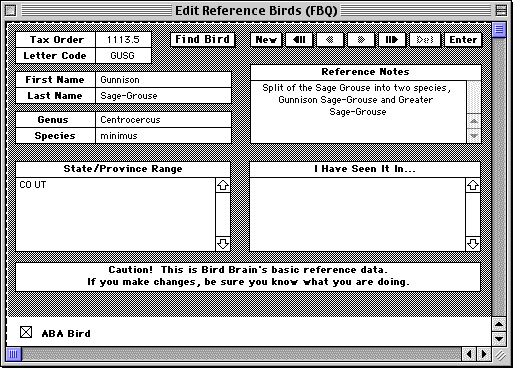
Adding If you wish to add Gunnison Sage Grouse to the Reference database, here's what you do. From the Reference menu, choose Edit Reference Birds. A window will open where you can add the new species. Click the New button at center top of the window. You'll see the window with nothing entered. Enter the following data: Rec No: 1113.5 Scroll down below the Caution! sign and check the ABA Bird box.
You may also wish to update the Sage Grouse entry. Click once in the Letter Code field and type Command-G. In the oval at the top of the window, enter SAGR. Press tab. The window opens to the Sage Grouse entry. Change the Letter Code to GRSG. Change the first name to Greater and the last name to Sage-Grouse. Press the Enter button at top right of the window. If you have entries for the Sage Grouse, you may wish to rebuild you life lists to update your data. From the Records menu, choose Rebuild Life Lists... Click Rebuild all
6 Lists. This may take a while if you have many records. |