HOME

BIRDING FAQ

BIRDING TIPS

BIRD STORIES

VIDEOS

SOFTWARE

OPTICS

BOOKSTORE

ORDER DESK


Bird Brain 5.0

a birding database for macintosh

Consistent with AOU's Check-list
Seventh edition, 1998

We anticipate an upgrade that will incorporate more recent checklist information and will run in OS X native.

We plan to rewrite Bird Brain in an OS X compatible version. At that time we mean to upgrade Bird Brain. There will be an upgrade path for existing users. It is going to be a while before that happens.

Adding:
Gunnison Sage Grouse

Black-crested Titmouse

Arizona Woodpecker
Cape Verde Shearwater

Life Lists | Target Lists | Reference Database | World Birds List | The Query | Entering Records | OmniList | System Requirements | Prices | How to Order | What Was New in Bird Brain 4.5?

What does the package look like?

Bird Brain 5.0 comes on a CD. Here's the picture on the package.

Bird Brain 5.0

Here's the CD label:

What can I do with Bird Brain 5.0?

Make a life list. Keep track of all your birding records. Create state lists, year lists, checklists, and target lists. Have your whole birding history at your fingertips.

Bird Brain is easy to use. It takes advantage of the Mac's intuitive, user-friendly interface. Pop-up menus make data entry simple. You type the first letters of the bird's name, and then pick the bird you want from a short list.


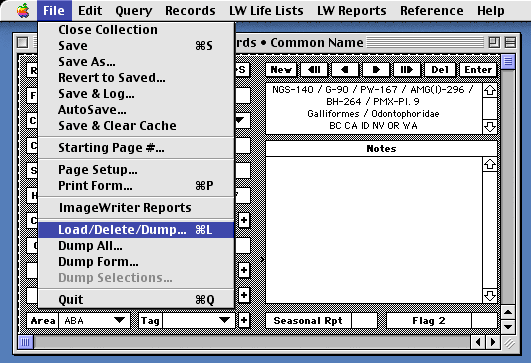
This is a piece of Bird Brain's Enter Records window.
Click to see full Enter Records window (23k)

Tell me about Bird Brain's life list.

Bird Brain's life list is a complete, accurate, elegant list of all the birds you've ever seen in your life, along with when and where you saw them.

Besides your World Life List, Bird Brain also makes your "ABA Life List," which shows just the birds you've seen in North America. There is a life list for North-&-Central America plus Hawaii. You can make a life list of the birds you've seen in any county, state, province, or nation. Or any location you designate. Here's a page out of a sample Life List created by Bird Brain.

What about Bird Brain's year lists

A year list for North America is as easy as choosing ABA Year List from a menu and typing "98" or "00" (or any year you like). You can also get a year list for any state or province.

Will Bird Brain make a life list for my back yard?

Simple. Here's a page of Diane's Back Yard Life List.

How do Bird Brain's checklists and Target Lists work?

Bird Brain's checklists shows which birds are found each state and province of North America. There's also a state-or-province Target List. It's like the checklist, but with a check already put by the birds you have seen there. Print out a target list for the state or province you're going to, and carry it with you so you can check off the birds as you find them.

Will Bird Brain provide me with room for my notes?

Bird Brain is much more than a life-list generator. It lets you record up to 64k of text on each sighting. It's easy to retrieve your information, using Bird Brain's advanced search engine. You can create all kinds of reports and look at your own birding history in countless ways. And you can sort most of the reports, in as many as eight ways.

Documentations and Seasonal Reports for your state organization or regional editor make it convenient to contribute to the science of ornithology by putting your observations on the record.

What species are in Bird Brain's Reference Database?

All the birds of the world. The Reference Database is open and accessible to the user. It can be viewed, queried, listed, printed, sorted, and exported independently of your records. It's a lot of fun just to play with the data.

What happens when birds' names change?

Bird Brain was designed to keep pace with the evolving scientific knowledge about birds. When bird names are changed, you can simply load in a file that updates the reference database. Then previously-entered records and all lists and reports will automatically reflect the new names and taxonomic order numbers.

You can also make changes yourself in the reference database, if you wish.

What other kinds of reports does Bird Brain offer?

Here they are. Most of these reports can be sorted in eight different ways: by record number, by date, by taxonomic order, by place, by county, by state, by nation, and by user-designated tags.

Trip lists, detailed or simple
Plain list of just the birds' names
Whole individual records with notes
Lists with scientific names
Lists with habitat information
Lists with tag field contents
Lists with notes
Lists with detailed location data
Documentation reports
Seasonal reports for ornithological organizations
And others...

You can add your own headings or titles to further customize your reports.

What if I want to format a report in a way that Bird Brain hasn't thought of?

The contents of any life list or report can be exported to a text file and opened by a word processor or other application. You can export the whole report, or you can click on the records in the list that you want and then export only those. You can then reformat the exported data to your specific needs.

You can also export whole records just as conveniently.

How does the Bird Brain's Query work?

At the heart of a database is its query power, the ability to ask for a subset of the records that you have entered. Bird Brain 5.0 has a powerful Query that lets you construct complex search statements. It's easy and intuitive to use. Almost anything you can ask for, Bird Brain can deliver.

How do I enter records into Bird Brain?

In each record, there are fields to enter everything about that sighting:

Common and Scientific Names
How many?
Date
City
State or province
County
Nation
Place
Habitat
Area
Tags (user-defined)
Flag
Notes

To speed up entering, data likely to repeat comes forward from the previous entry. To ensure consistency, many of the fields offer pop-up lists for entering data. Of course, you can edit these pop-up lists to correspond with your own needs.

What are Bird Brain's Tag and Flag fields?

User-defined Tag and Flag fields let you mark your records. Use them to identify a group of sightings unconnected by data in other fields. Tag and Flag fields can provide powerful search parameters and almost unlimited retrieval capability.

What if I know only the scientific name of a bird?

When entering a bird, you choose its name off a pop-up menu. You may use either the common name or scientific name. Scientific names often help the world birder find the right bird.

Is Bird Brain complicated to learn and use?

Actually, it's easy. On-screen buttons give you one-click access to often-used features. The buttons make it easy to enter and delete records, navigate from record to record, find all the records of one species, go to any particular record, toggle between entering records by common and by scientific names, and automatically open the reference database.

The User's Guide is on the CD, so that you can print it out.

If you prefer to order a paper copy of the User's Guide, you can do so.

$15.00

What is the OmniList?

It's new list of world birds designed especially for computer use.

The OmniList of World Birds combines the major lists that North American birders use when they bird the world. Sibley & Monroe, Clements, the American Ornithologists' Union (AOU), and the American Birding Association (ABA) all have differing lists.

The OmniList reconciles the names and taxonomic order of all these lists, to make a world list that is easy for North Americans to use. It calls North America birds by the names that North American birders are used to. Such as Snowy Plover, not "Kentish Plover," which is what the same bird is called in England.

The taxonomic order is consistent with what birders recognize from using American field guides. It follows the AOU Checklist order. For example, the Turkey Vulture is with the hawks, not with the storks, which is where you find it in Sibley & Monroe.

The OmniList includes all species that are on any of these lists: the ABA checklist, the AOU checklist, Clements, or Sibley & Monroe. Alternate names are noted.

The OmniList of World Birds is not offered as an original work of taxonomy, but rather as a convenience for world birders. It's data is already in Bird Brain.

The OmniList data is normally offered by a direct download. However, it is temporarily unavailable. We are working on updating it to include the changes made by the American Ornithologists' Union in their 42nd update to their checklist, and changes made by James Clements in his 5th edition of his world bird list. (Tell me more about the OmniList)

Tell me about Bird Brain's technical support.

Bird Brain comes with excellent, user-tested, friendly documentation. Telephone technical support is available to help you with any problems.

Who makes Bird Brain?

Ideaform Inc., which has been developing software for the Macintosh computer since 1984. We pride ourselves on our attention to user-friendly design, professional documentation, and excellent technical support. Moreover, we are birders, who use the product we sell.

System requirements for Bird Brain 5.0

Bird Brain requires at least a Mac Plus or later Macintosh computer, 2 MB of application-available RAM, and a hard disk drive. It requires System 6.0.8 or later.

When first installed, Bird Brain 5.0 will take 9 MB on your hard drive.

Bird Brain 5.0 will run in native mode on the Power Mac provided you are running System 7.5 or later.

Bird Brain Prices

Bird Brain 5.0 $99.95

 Upgrade to Bird Brain 5.0 from any earlier version of Bird Brain

$25.00
Paper copy of the Bird Brain User's Guide. The User's Guide is included on the CD, and you can print it out. Or you can order one.  $15.00


All payments in U.S. funds.
Visa and MasterCard accepted.

HOW TO ORDER

Direct on the Internet:
Go direct to the Ideaform
Order Desk
Visa and MasterCard accepted

By phone:
Ideaform Inc.
641-472-7256
800-779-7256 (from USA only)
Visa and MasterCard accepted

By FAX:
Ideaform Inc.
641-469-5065
Visa and MasterCard accepted

By regular mail:
Ideaform Inc. 908 East Briggs Fairfield, IA 52556 USA
Send check (add $4.50 for shipping), or VISA or MasterCard number with expiration date. Include your name, address, and phone number.

Guarantee
Satisfaction unconditionally guaranteed. Try Bird Brain 5.0 or any other Ideaform product risk free for 30 days. If you are not completely satisfied, return the package for a refund of your full purchase price.


Home FAQ Tips Stories Videos Software Optics Bookstore Orders